Posts

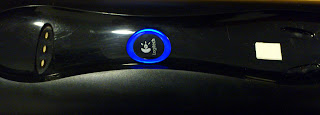
Improve charging success for Logitech's Harmony 885
Image
Problem:  my remote would sometimes not charge when placed in the cradle. Solution: Make the rear end of the remote sit about 2-4 mm higher in it's cradle than the original position. Use a material which is slippery so the remote can 'slide' into place. I used 2 layers of dual-sided glue-tape, but did not remove the upper cover, which happens to be slippery. I placed it as shown below - near the recesses in the rear part of the cradle. This is not 100% fool-proof but from a few minutes of fiddling with it my success rates are much  better than the original design. Granted, it's butt ugly, but that's what I use ATM. maybe I'll paint the thing black or something. Rectangle on the right hand is 2 layers of double-sided glue-tape I suppose the same problem exists with the whole 800 series, and as such, that the same fix applies... ? See also: another option  for resolving this problem

increase your machines security with a unique local-administrator password

Set up Active Directory so that users who were locked outside their Windows machine and are off-site can nevertheless get access to their local machine in a secure, effective manner In a nutshell: Extend the A/D Schema For computer objects, add a localAdminPwd  field Set an ACL on this field: only accesible to Domain Admins and your helpdesk team Configure Group Policy local administrator: denied log on from the network Set random password for each local administrator Use a script to generate a random password store password in A/D set the password on the machine's administrator account if you fail, role back so the two are always in sync Add scripts to the Active Directory Users and Computers administrative tool "Get local admin password" - will show helpdesk members the current password for a given computer account "Set local admin password" - will generate a random password and set it on the machine and in A/D (or roll back) ...

What am I doing wrong ? code-signing, exportable certificate on win2k8 std

so, Hi & all, let's cut the chase <snipped> our domain is based on w2k8-standard. we do a lot of coding, and so we wanted to sign our own certificates. and so I issued myself a code-signing certificate. but in order for my packaging module (PrimalScript) to pack .vbs files in a signed executable, it requires a .pfx file with the private key exported. as you may know, one can easily edit the CA template for code-signing, such that the private key can be marked exportable. however, using custom certificates is limited to the w2k enterprise edition only. what I wound up doing (based on a web guide i can no longer locate, and on this guide ) is this: get makecert, place it on the DC which holds the CA role. use this syntax: makecert -r -pe -n "CN=My User,OU=my ou,DC=my,DC=Domain,DC=local" -b 01/01/2011 -e 01/01/2099 -eku 1.3.6.1.5.5.7.3.3 -ss My -ir LocalMachine -is MY so i now have a certificate generated by my own Root CA - perfectly signed and all, ...